Your messy notes, organized for you.

Bring them from Apple Notes, Evernote, Notion or Keep. Filed sorts them into folders, and you can undo it. After that, every new thought files itself.

Try it freeSee how it works

No card to try it · Then 7 days free

1Your notes app today

New Note 47

ideas??

IMPORTANT

untitled

meeting notes 3

and 842 more

2After Filed sorts them

Work263

People198

Home171

Ideas129

Reading86

You see the plan first, and can undo it

After you start, bring your notes in from Apple NotesNotionEvernoteGoogle KeepObsidianBearWord

Notes apps made you the filing clerk

TaskThe usual wayWith Filed
TitlesNotes called “New Note 47”Every note in a folder that makes sense
Finding thingsSearch, scroll and hopeAsk, and get the answer
To-dosCopy to-dos to another appTo-dos land on one list
Your dataStuck in one appPlain markdown you can export anytime

Write it once, find it months later

1You write it down

Tue 6:10 pmDictated on a walk · 0:21

Idea for the kayak thing: a family pass for the whole season, around $300. Ask Sam if the club would split the revenue.

2Overnight, Filed adds

Kayak rentalProjects

Family season pass, around $300

To-do

Ask Sam about a revenue split

3Three weeks later, you ask

What's the latest on the kayak idea?

A family season pass at around $300. You also meant to ask Sam about a revenue split.

Kayak rental Projects
Try it free

Write it down as it comes

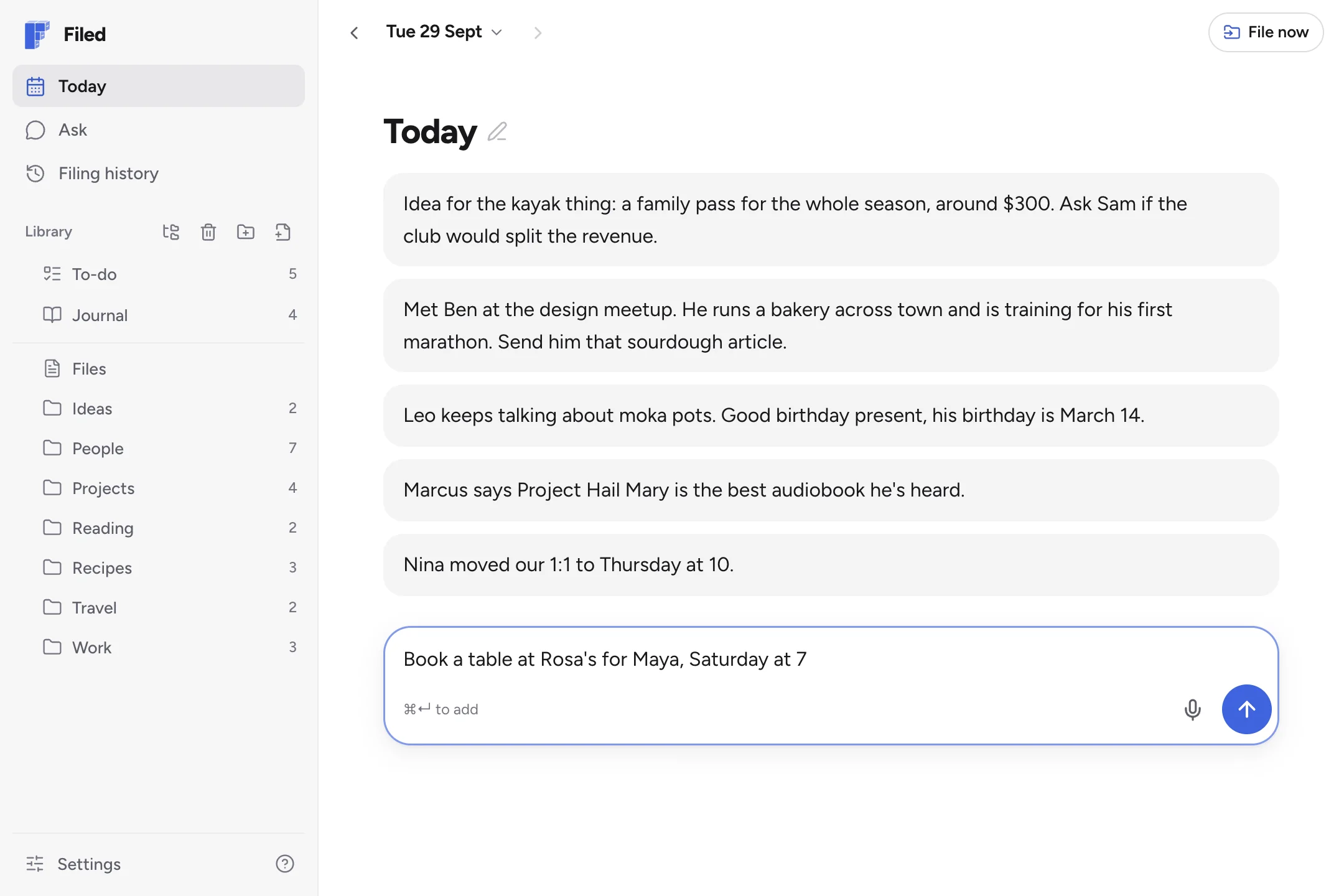
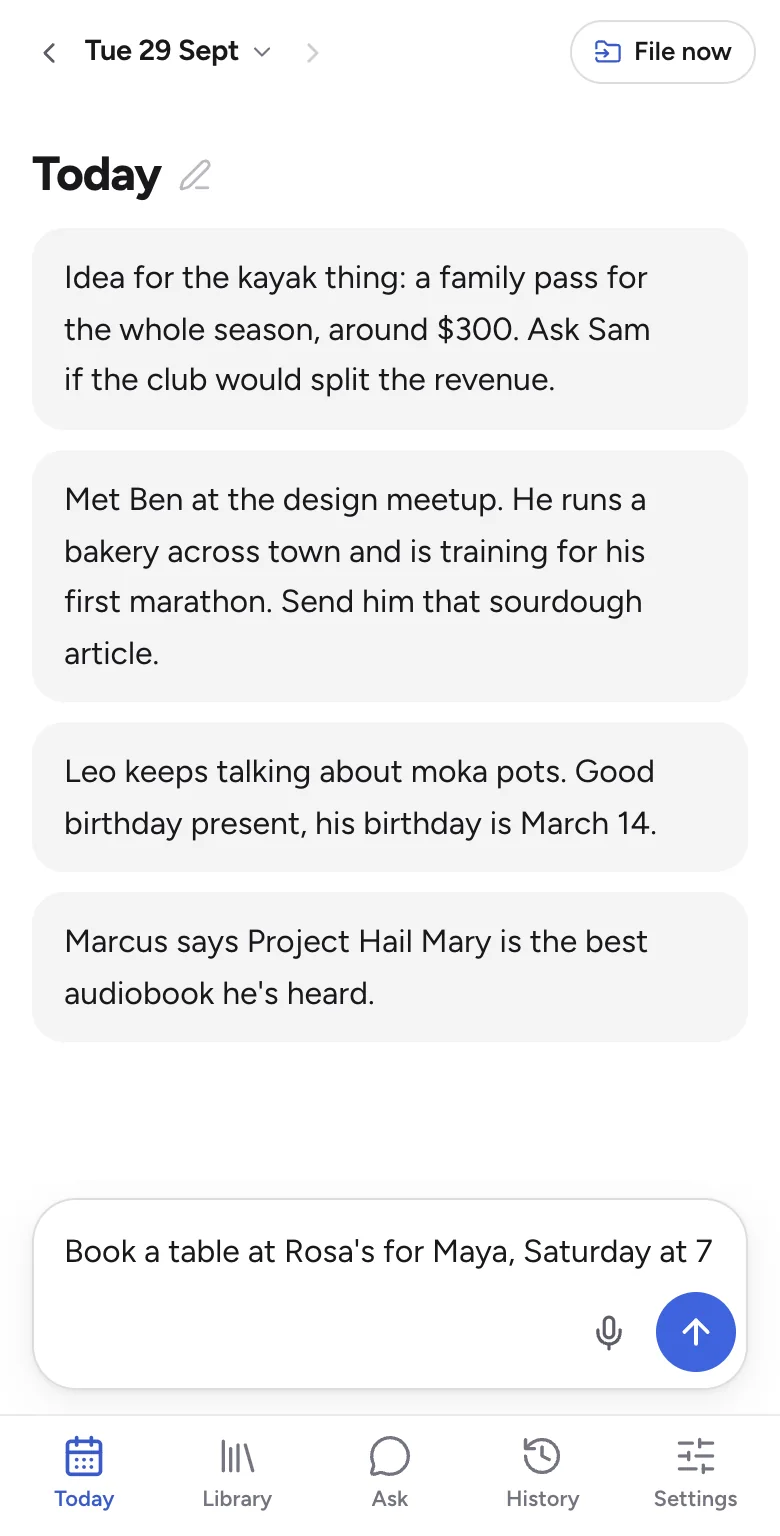
Everything goes on today's page: to-dos, ideas, what someone told you. No folder to pick, no title to think of.

  • Type it or say it
  • On your phone and your laptop
  • Filed overnight, or right away
filednotes.com/app
Today in Filed: the day's thoughts so far, and the next one being written
9:41
Today on a phone: the day's thoughts, and the next one ready to add

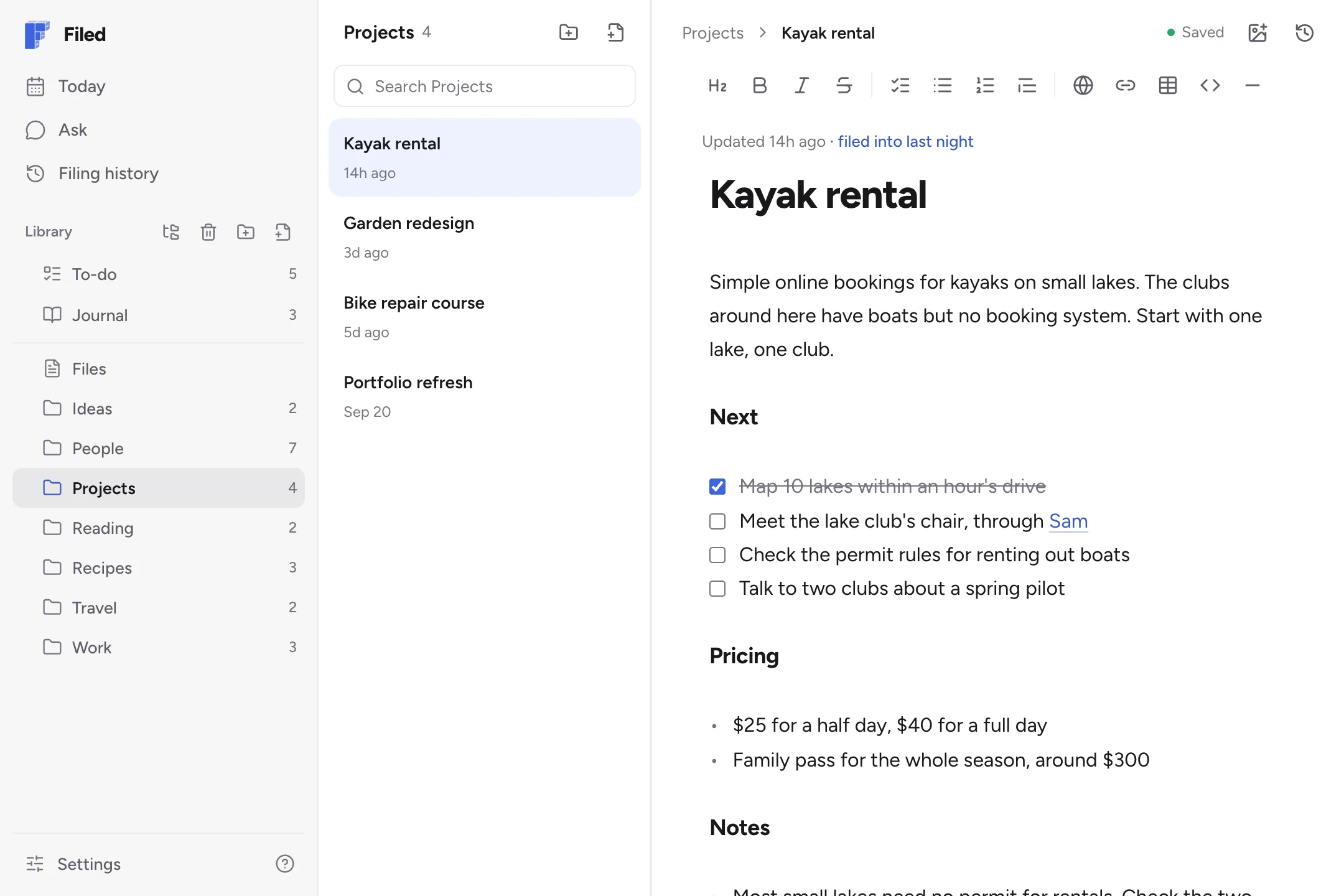
Real notes you can read and edit

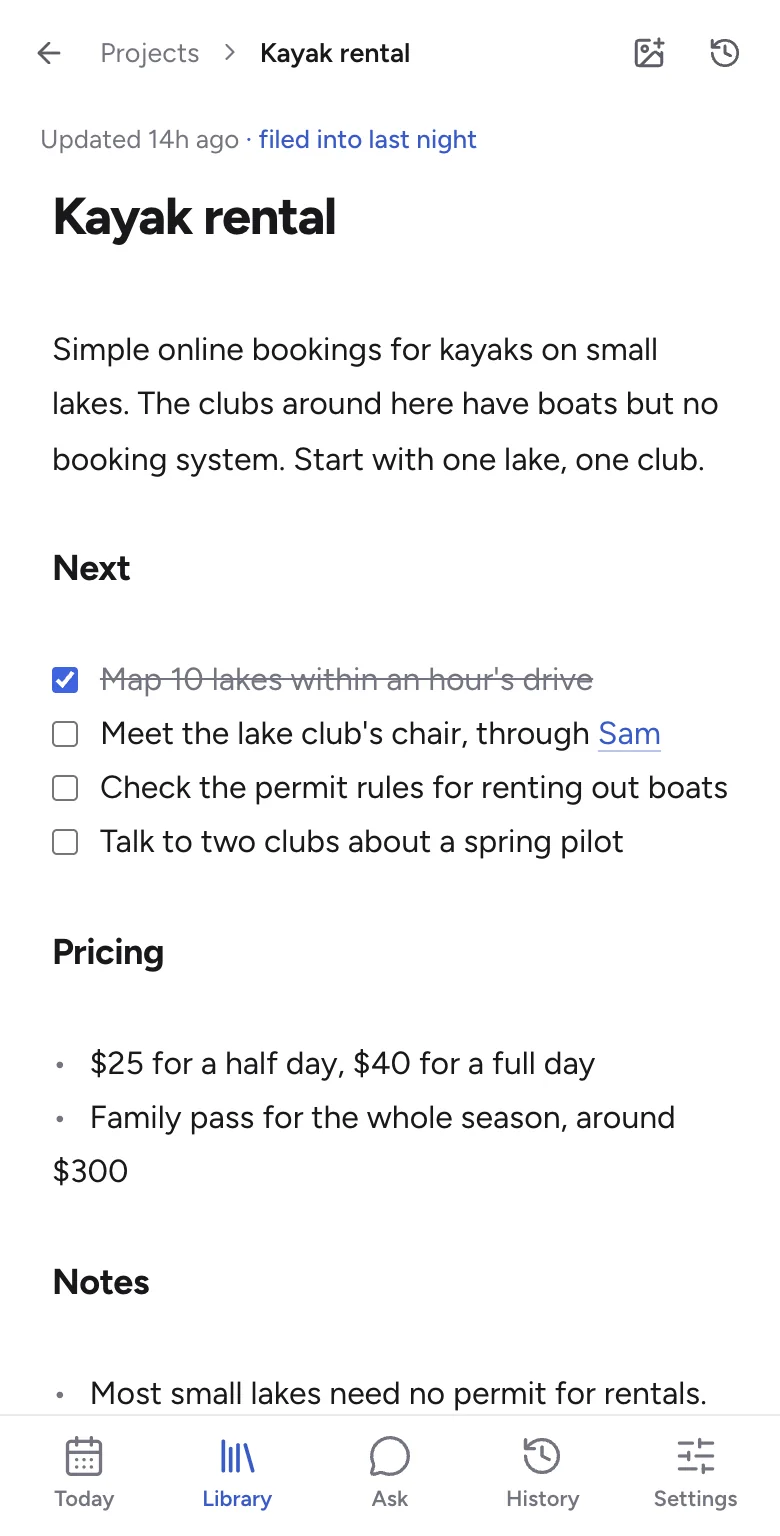
Every person, project and list gets its own note, and each new thought lands in the right one.

  • Checklists, headings and links
  • Version history on every note
  • Plain markdown, yours to export
filednotes.com/app
A project note in Filed, with a checklist, pricing and notes, filed into last night
9:41
A project note on a phone, filed into last night

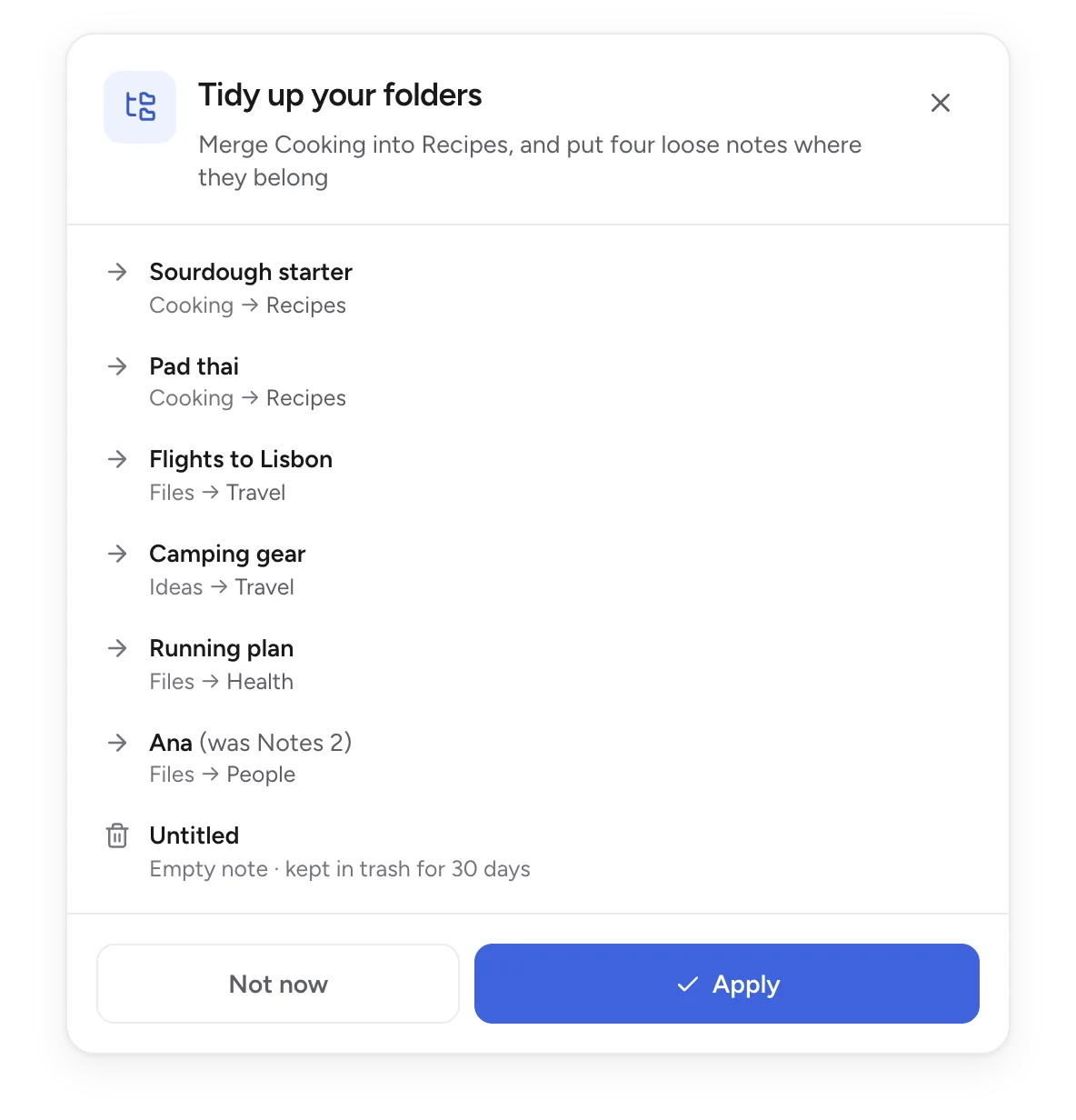
Folders that tidy themselves

Once a week, Filed looks over your library and suggests a cleaner setup: loose notes put away, duplicate folders merged, empty notes cleared.

  • See every change before it happens
  • Apply it in one tap
  • Undo puts everything back
A tidy-up suggestion in Filed: merge Cooking into Recipes and put loose notes in their folders, with Apply and Not now

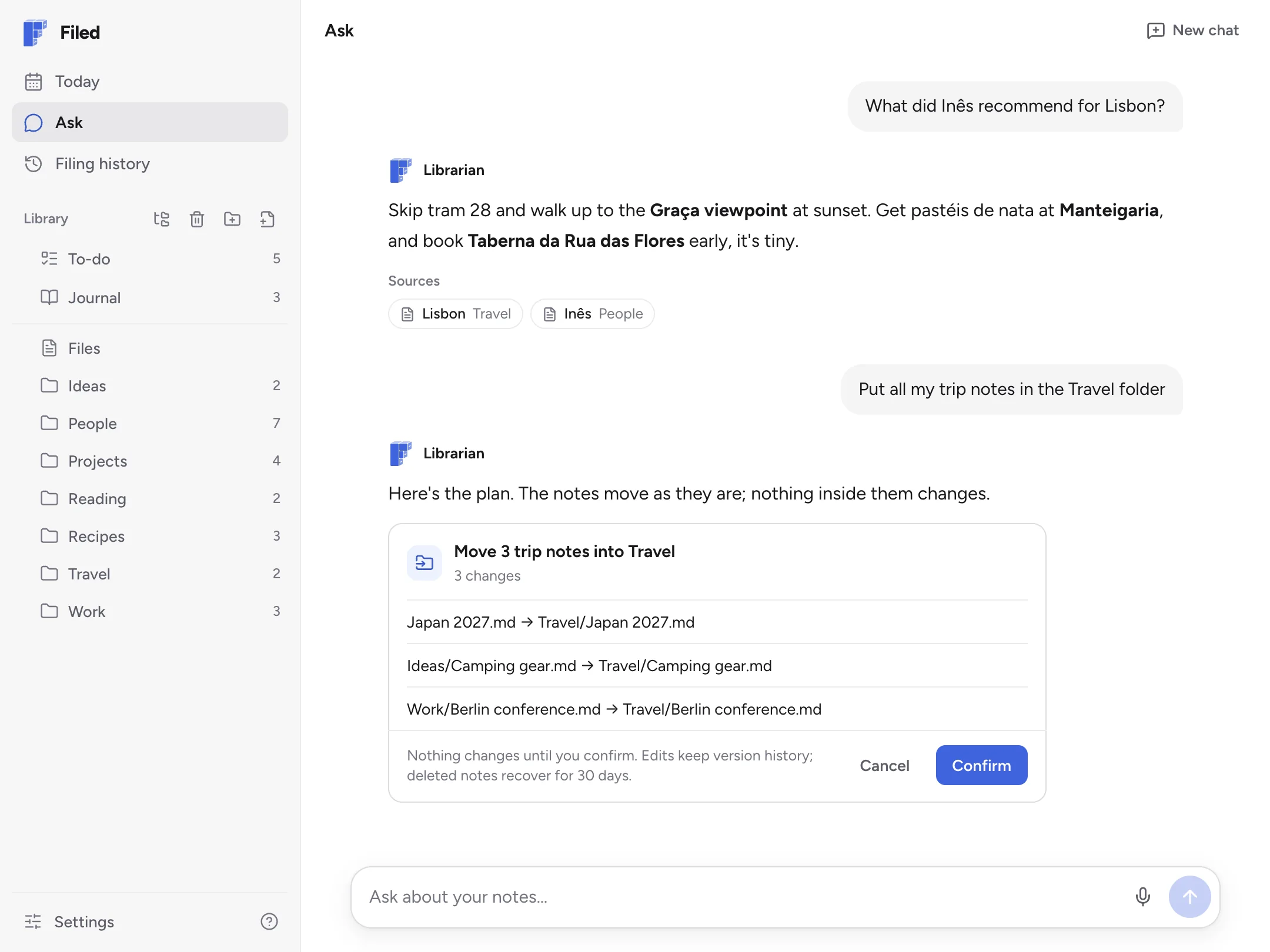
Ask your notes anything

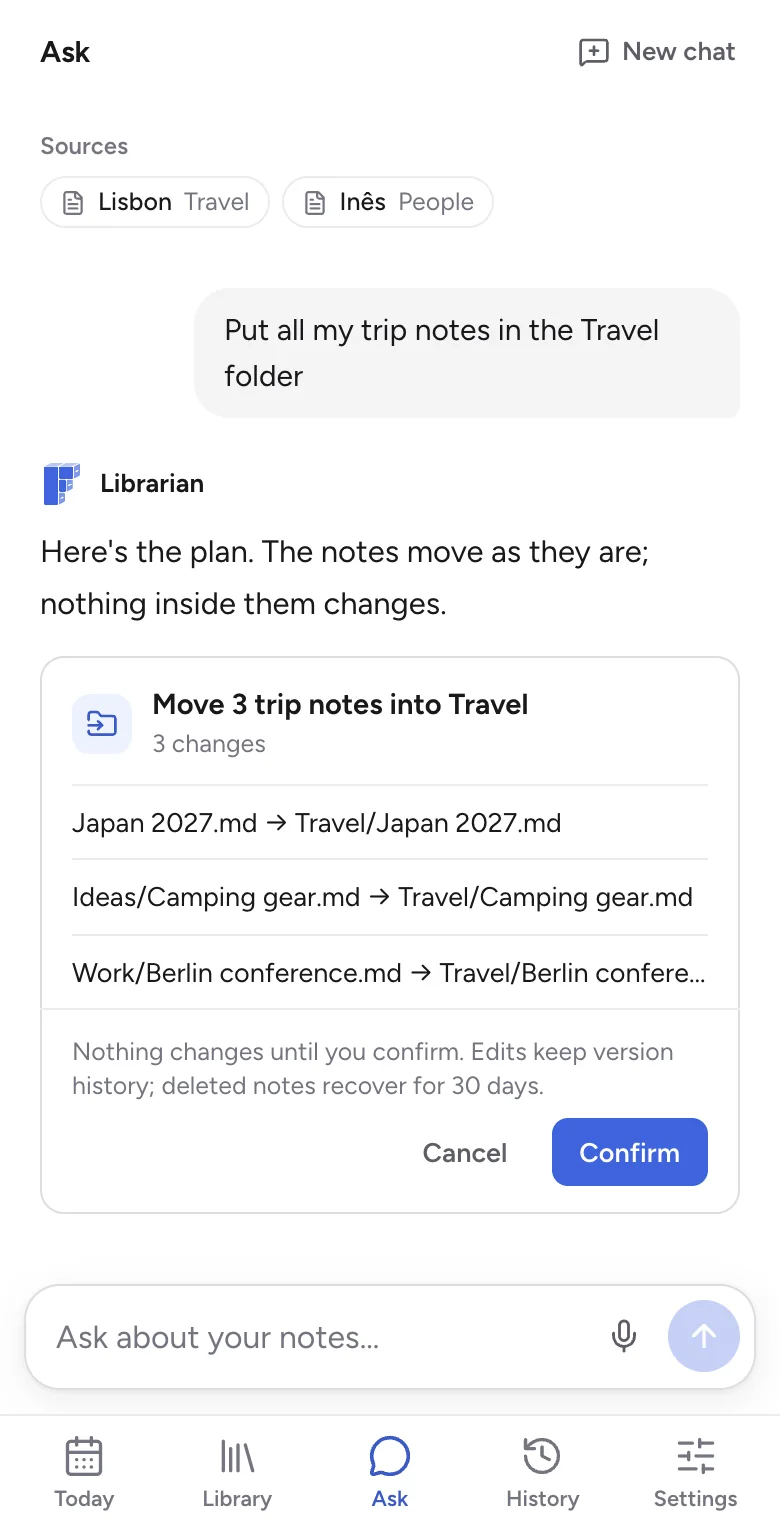
Get answers from your own notes, or ask for a change, like putting all your trip notes in one folder.

  • Sources on every answer
  • Finds what you wrote months ago
  • You confirm every change first
filednotes.com/app
Ask in Filed: what a friend recommended for Lisbon, with its sources, and a plan to move three trip notes into Travel, waiting for Confirm
9:41
Ask on a phone: a plan to move three trip notes into Travel, waiting for Confirm

You stay in control

You approve the big changes

Filing adds your thoughts to notes. Moving, merging or deleting waits for your OK, and anything can be undone.

Plain markdown you own

Export everything as a zip, anytime.

Private by default

Only you can read your notes, and they're never used to train AI.

One plan, everything included

Launch price7 days free
Monthly

$12/month

Billed monthly

Yearly Save 31%

$99/year

$8.25/month, billed yearly

Start now and keep this price for as long as you stay subscribed.

How the free week works

  1. TodayTry it without a card. If you like it, add one to start your free week. You won't be charged yet.
  2. Day 4We email you a reminder.
  3. Day 7Your plan starts. You can cancel anytime.
Try it free

Common questions

Can I bring my notes from another app?

Yes. Once you've started, import from Apple Notes, Notion, Evernote, Google Keep, Obsidian, Bear, Word and more. Filed sorts them into folders, shows you the plan first, and you can undo it.

What if it files something in the wrong place?

Open Filing history, tap the thought, and move it to the right note or undo it. Your day's page always keeps what you wrote.

Can I get my notes out?

Yes, anytime. Export everything as a zip of plain markdown files, even after you stop paying.

Do I need a credit card?

Not to try it. Write a few thoughts and watch Filed sort them first. If you like it, add a card to start your 7-day free trial. Cancel before it ends and you won't be charged.

How does Filed know where things go?

It reads each thought and looks at the notes you already have. Something about Sam goes into Sam's note, a to-do goes on your to-do list, and anything new gets a note of its own. Mentioning people and projects by name helps.

Can I still organize notes myself?

Yes. Write in any note, make your own folders and move things around. Filed works with the structure you set up.

Are my notes private?

Yes. No one else can read them. The AI reads your notes only to file them and answer your questions, and they're never used to train AI. Delete your account and your notes are deleted too.

Is there an iPhone or Android app?

Not yet, but both are on the way. Until then, Filed works in your phone's browser. Add it to your home screen and it opens like an app, straight to today's page.

What languages does it work in?

Any language, and you can mix them. Your notes and folders stay in the language you write in, never translated.

Can I file right away instead of waiting for the night?

Yes. Tap File now. Otherwise your page is filed every night, at a time you choose.

What happens if I stop paying?

You keep your notes. You can still read, edit and export them, but filing, Ask and dictation stop until you subscribe again.
Didn't find your answer? Ask us.

Try a week without managing notes.

Try it free

No card to try it · Then 7 days free